Add to Home Screen
Install nLight.fit as a mobile app on your iPhone
1
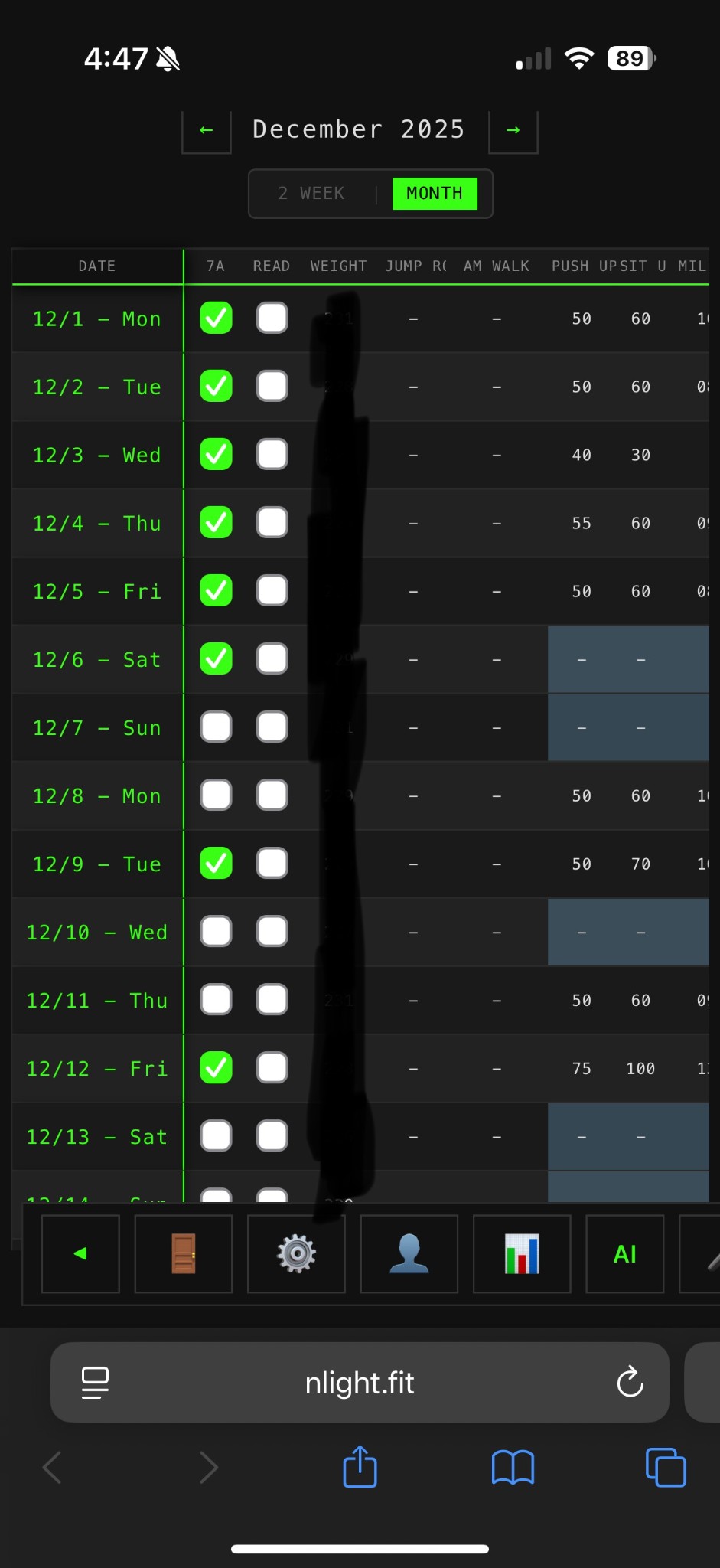
Open in Safari
Visit nlight.fit in Safari on your iPhone
2
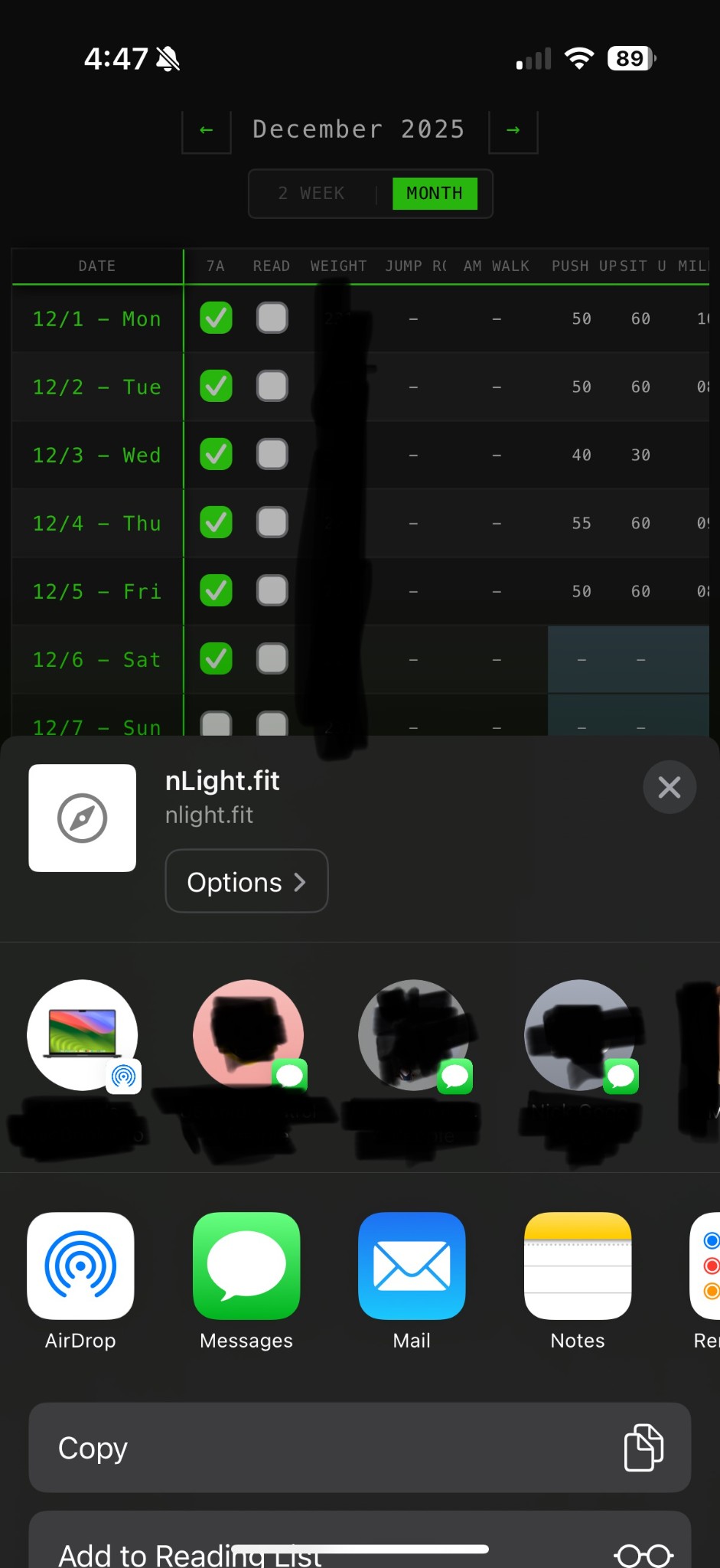
Tap Share
Tap the Share button at the bottom of Safari
3
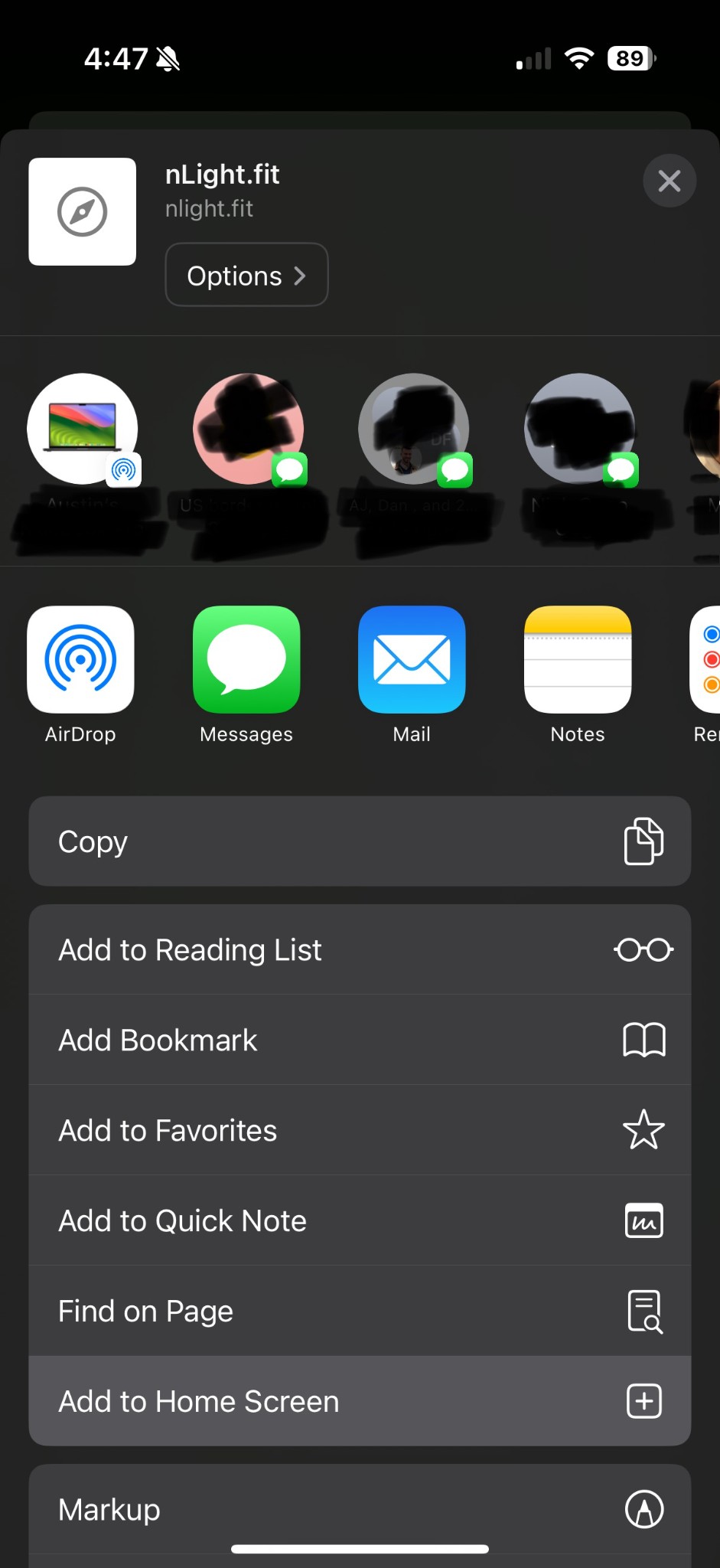
Add to Home Screen
Scroll down and tap "Add to Home Screen"
4
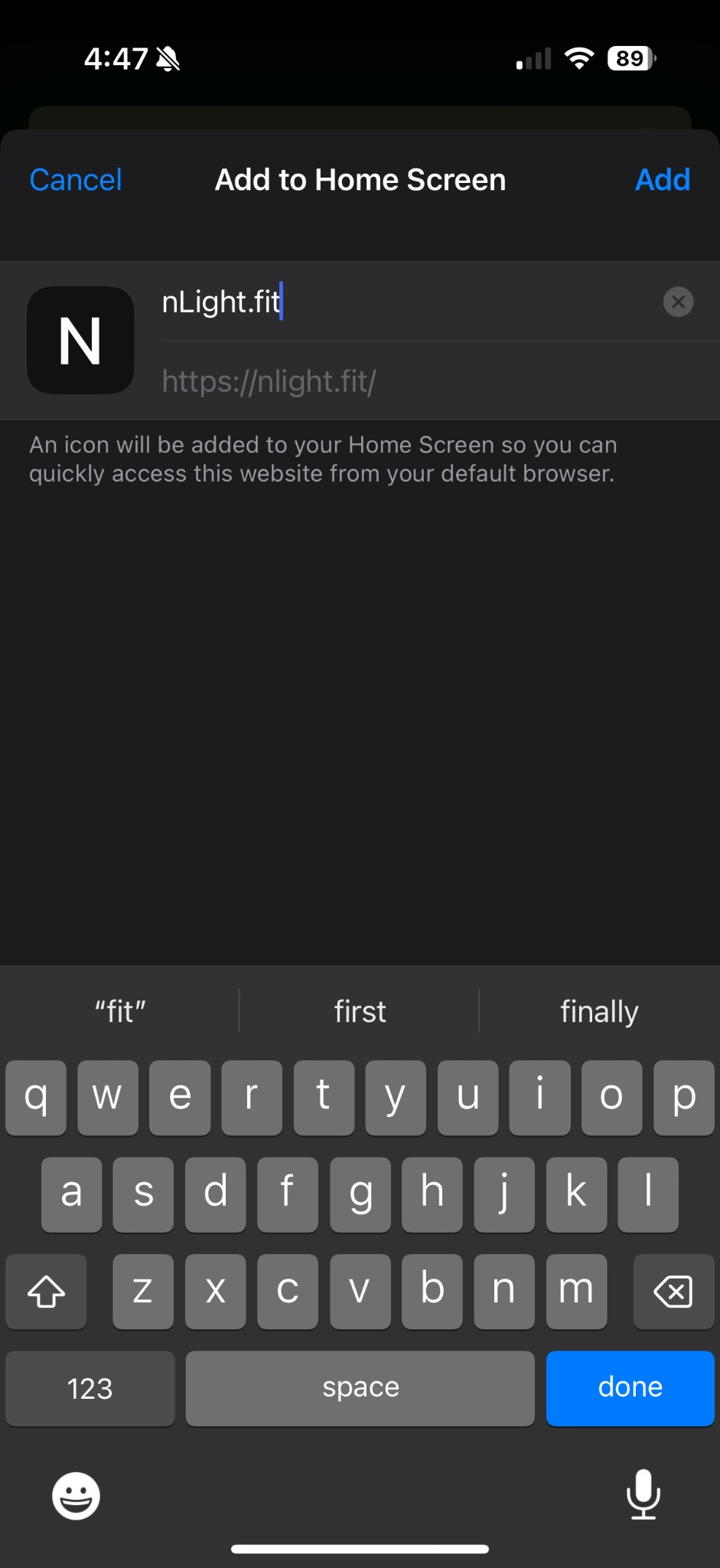
Tap Add
Tap "Add" to install the app icon
📱 Once added, nLight.fit works like a native app with offline support!